N64Wasm
N64 Wasm
Thanks for checking out N64 Wasm! An N64 emulator that runs in the browser. It is a port of the excellent RetroArch ParaLLEl Core to WebAssembly. This project started because I wanted to have a well playing open-source N64 emulator designed for the web. I also wanted to learn OpenGL and this was a good way to dive in. Game compatibility is decent with a good portion of the 3D games playable and at full speed on a mid-range computer - Mario 64, Ocarina of Time etc… There is currently an issue with some 2D games such as Dr Mario 64 and Pokemon Puzzle League which I am still investigating. I also tested on the iPhone 13 and Xbox Series X Browser and it works great.
Supports the following features -
- Gamepad Support (Xbox and PS4 Controller tested)
- Button and Keyboard Remapping
- Save States and SRAM
- They save in your browser so you can close and come back later
- Import/Export Save Files (see settings.js)
- Zoom Controls
- Full Screen
- Audio Support
- Cloud Save States (Host your own server)
- Multiple Controller Support
- Mobile Controls
- Gameshark Codes
- Software Renderer Option
- Mouse Controls (good for starcraft)
You can try it here: https://www.neilb.net/n64wasm/
Build Instructions
I used WSL on Windows but any Linux environment would work as well. First Install Emscripten version 2.0.7
- create a folder somewhere in your environment to install emscripten
- git clone https://github.com/emscripten-core/emsdk.git
- cd emsdk
- ./emsdk install 2.0.7
- ./emsdk activate 2.0.7
- source ./emsdk_env.sh
- navigate back to the code folder in the N64Wasm repo
- run
make - the updated
n64wasm.jsandn64wasm.wasmfiles will now be inside thedist\folder - now serve the contents of the
dist\folder from your webserver
Another way you can easily build the app is by using a preconfigured environment via GitHub Codespaces. This repo has a dev container configuration which will already have all the required build tools installed.
- click the green “Code” button in this repo
- then click the “Create codespace on master” button
- after it finishes provisioning run
make
Hosting
This emulator supports hosting the app yourself with your own rom list. Create a folder called roms in the dist\ folder and copy them there. Then go into romlist.js and uncomment the code and populate the paths and names of your roms.
var ROMLIST = [
    {url:"roms/rom1.z64",title:"Game 1"},
    {url:"roms/rom2.v64",title:"Game 2"},
    {url:"roms/rom3.v64",title:"Game 3"},
];
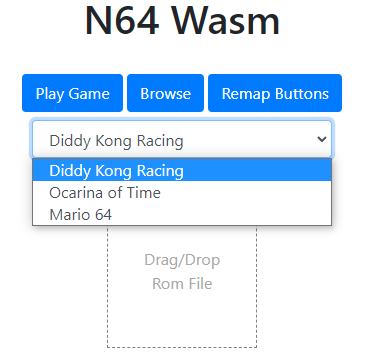
This will then display a dropdown on the UI to select a game
You can also enable Cloud Save States with some additional configuration. See this README for information on how to set that up.
Windows Version
If you want to actually do debugging you will want to get the Windows version working on your machine. Debugging in WebAssembly is practically non-existant other than logging print statements. I did all of my debugging and testing using the Windows version with Visual Studio 2019 and then would compile the web version with Emscripten. Make sure you are on a computer that has a graphics card which supports OpenGL.
- To get it up and running open up the N64_Wasm.vcxproj file in notepad and update the paths
- update all the paths for the includes and libraries to where these are on your machine
- the ones referencing the code folders should be where your source code is
- now you can open up N64_Wasm.vcxproj using Visual Studio 2019
- Get the Libraries and headers for the following
- the actual versions could vary but these were the ones I used
- SDL2 - version 2.0.14
- SDL2 Image - version 2.0.5
- SDL2 TTF - version 2.0.15
- GLEW - version 2.2.0
- Copy a rom to your working directory
- and replace the name of that rom in mymain.cpp
sprintf(rom_name, "%s", "game.z64");
- Note - running in Release mode runs much faster than in Debug though you won’t be able to set breakpoints

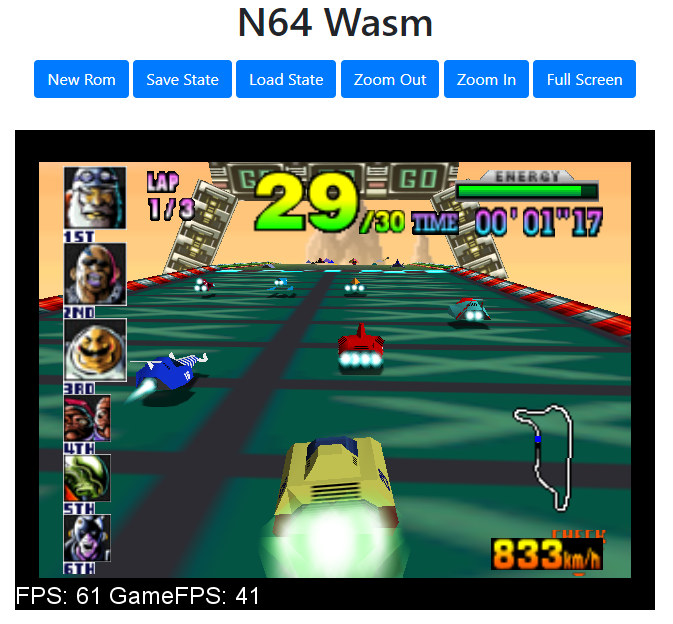
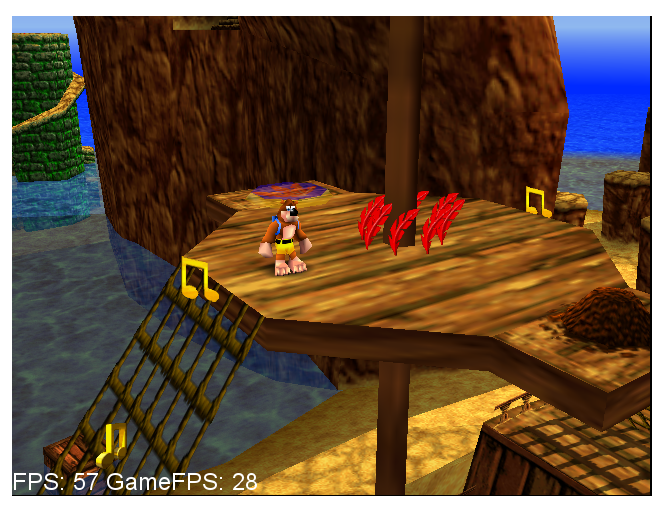
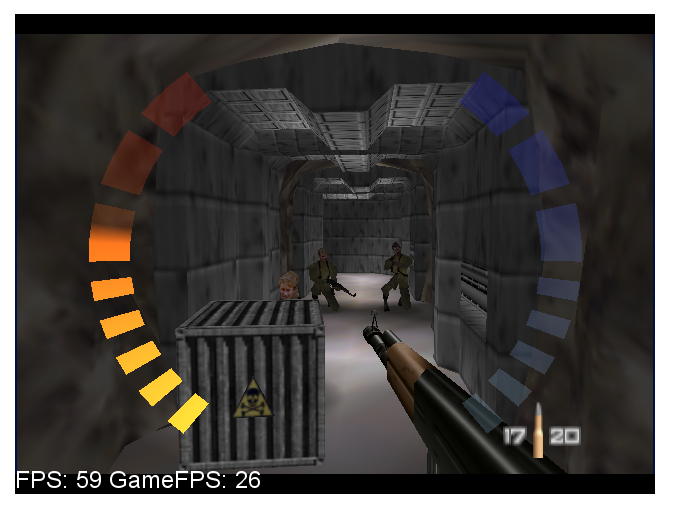
Screenshots


Mouse Controls
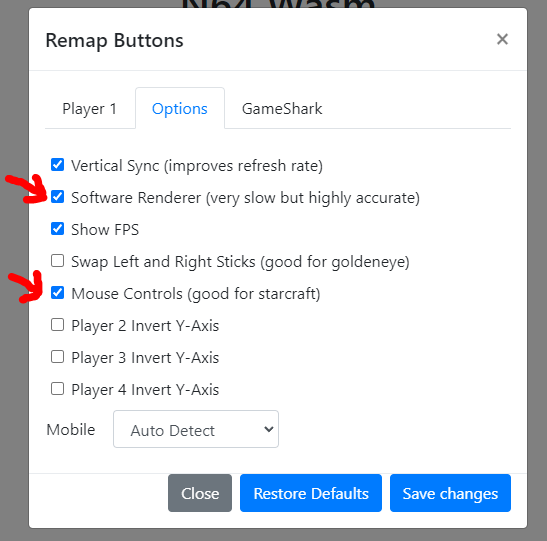
Mouse Control options are available which work really well for Starcraft 64. If you are playing Starcraft it’s a good idea to enable the Software Renderer and also use the European version of the game which runs at 50fps. That will be a little easier on the CPU and should perform better.


iPhone 13

References
- ParaLLEl N64 Core https://github.com/libretro/parallel-n64